組み込みパケットキャプチャとは
組み込みパケットキャプチャ (EPC) は、ネットワーク管理者がシスコデバイスを通過するデータパケットをキャプチャしてトラブルシューティングに役立てるための機能です。キャプチャの設定には、バッファのサイズ、キャプチャするパケットのバイト数、トラフィックの方向などを指定でき、さらにアクセスコントロールリストでフィルタリングやサンプリング間隔の設定も可能です。
組み込みパケットキャプチャの利点
組み込みパケットキャプチャの利点は、デバイス内でIPv4およびIPv6パケットをキャプチャできること、柔軟なキャプチャポイント設定が可能なインフラの提供、PCAP形式でのエクスポートが可能なこと、そしてさまざまな詳細度でパケットをデコードできることです。
組み込みパケットキャプチャの設定
パケットキャププチャのフィルタとしてアクセスリストを指定します。
Device#monitor capture capture-name access-list access-list-name
モニターのキャプチャ制限を構成します。
Device#monitor capture capture-name limit duration seconds
キャプチャするインターフェイスと方向を指定します。
Device#monitor capture capture-name interface interface-name both
| bothからin方向への変更 | no monitor capture capture-name interface interface-name out コマンドを入力 |
| bothからout方向への変更 | no monitor capture capture-name interface interface-name in コマンドを入力 |
パケット データをキャプチャするためのバッファーを構成します。
Device#monitor capture capture-name buffer circular size bytes
パケットキャプチャを開始します。
Device#monitor capture capture-name start
キャプチャしたデータをエクスポートします。
Device#monitor capture capture-name export file-location/file-name
パケットキャプチャを停止します。
Device#monitor capture capture-name stop
組み込みパケットキャプチャの設定例
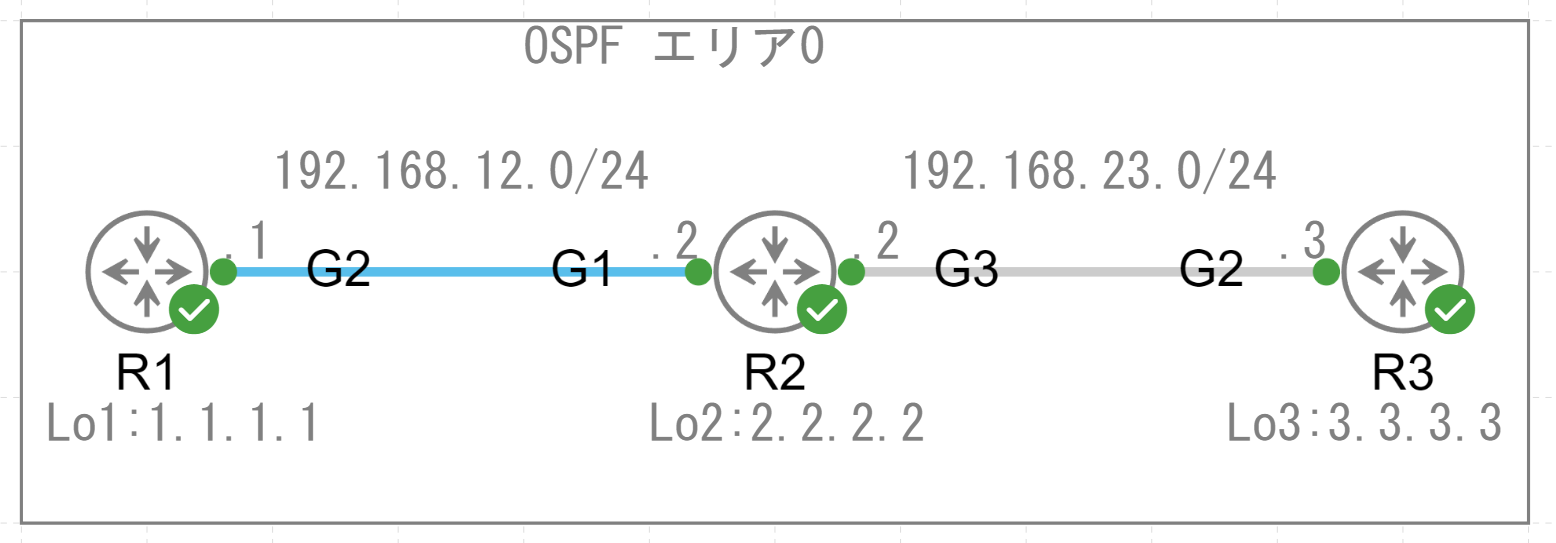
R2のインターフェイスG3で送受信されるパケットキャプチャを確認します。
R2#conf t
Enter configuration commands, one per line. End with CNTL/Z.
R2(config)#
R2(config)#ip access-list extended EPCTEST
R2(config-ext-nacl)#permit ip any any
R2(config-ext-nacl)#end
R2#monitor capture TEST interface GigabitEthernet3 both
R2#monitor capture TEST access-list EPCTEST
R2#monitor capture TEST buffer circular size 100
R2#monitor capture TEST start
Started capture point : TEST
パケットキャプチャを停止させて確認します。
R2#monitor capture TEST stop
Stopped capture point : TEST
R2#
*Aug 16 07:02:46.014: %BUFCAP-6-DISABLE: Capture Point TEST disabled.
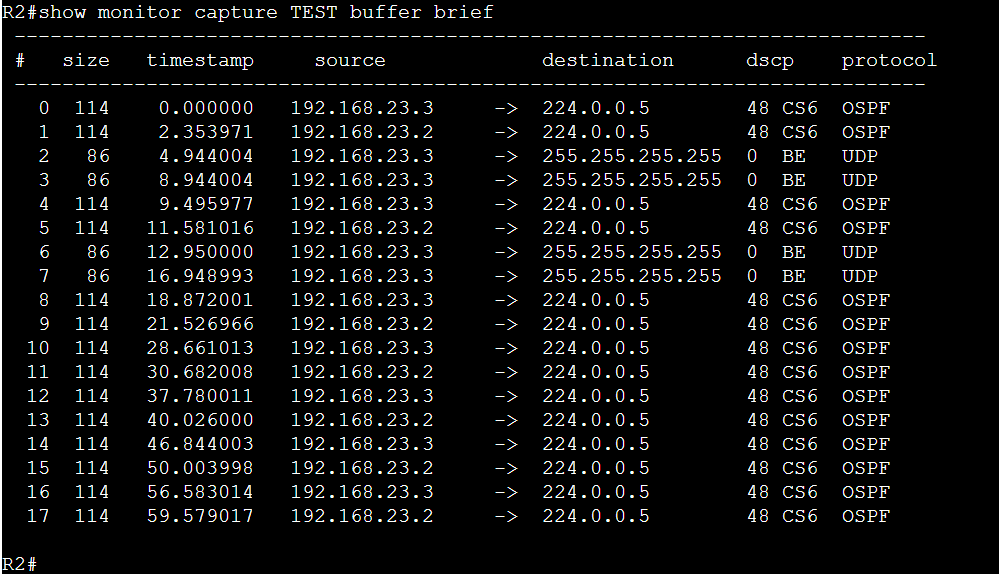
show monitor capture TEST buffer brief
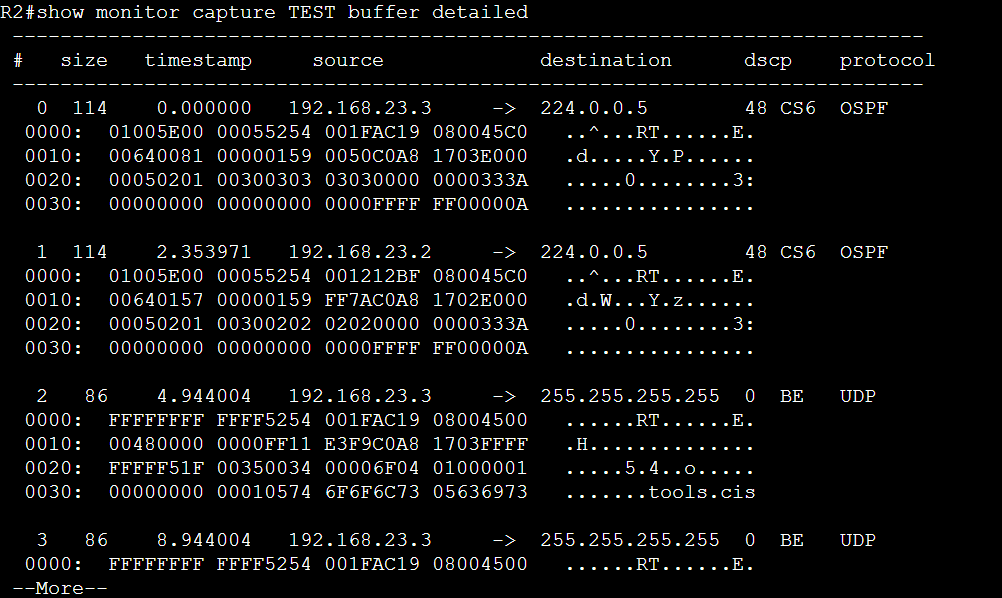
show monitor capture TEST buffer detailed
参考文献
Embedded Packet Capture Configuration Guide
IOS-XE : EPC(Embedded Packet Capture)を使用したパケットキャプチャ方法